
sukūn — in Arabic script, the small circle drawn above a letter to say no vowel here. A stop. A held breath inside the word.
Less scroll.
More barakah.
Your thumb opens Instagram before your brain decides to. Sukoon puts a calm pause in that gap — and when the adhan comes in, it steps in front of every app until you've prayed.

- Free
- No ads
- No subscriptions
- Screen time stays on your device
You didn't decide to open it.
Your thumb did.
Twenty minutes go somewhere. Maghrib passes. The evening is gone and you couldn't say where. Sukoon breaks that loop with a few seconds of friction — long enough to notice the urge and choose what happens next.
Why Sukoon
Not another app that just says no.
-
It asks. It doesn't shout.
Most blockers put up a wall and you end up fighting your own phone. Sukoon opens a few seconds of quiet first — a breath, a short dhikr, an ayah — then lets you decide. The decision stays yours, which is why it lasts.
-
Built around salah, not just hours.
Screen-time apps count minutes. Sukoon knows when Maghrib is, pauses everything until you've prayed, and keeps your Qur'an reading moving forward. The goal isn't a smaller number — it's a fuller day.
-
Free, with nothing to upgrade.
No ads, no subscription, no account to create. The whole app, free — supported by optional tips, never by your data. The apps you guard never leave your device, so there's nothing for us to sell.
How it works
Three steps, then it runs itself.
-
Step one
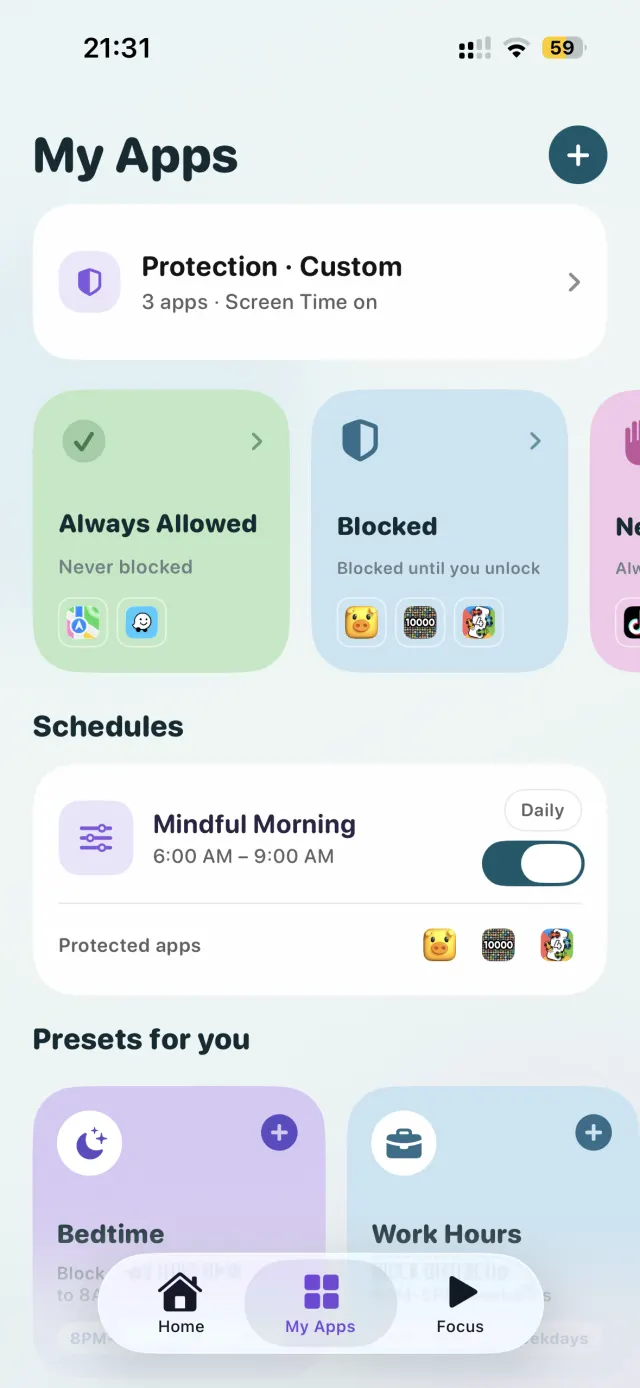
Choose what to guard.
Pick the apps that eat your day — Instagram, TikTok, YouTube, X, the games. Put Maps and your family chat on Always Allowed so real life never gets blocked. Add a schedule like Bedtime or Work Hours and it repeats every day without you.
-
Step two
Meet the pause.
Reach for a guarded app and Sukoon opens first. Breathe through a slow ring, count a short dhikr on the tasbih, or read a few ayat — then decide. Most of the time you'll put the phone down. The further past your daily target you are, the longer the pause asks for.
breathe in · breathe out
-
Step three
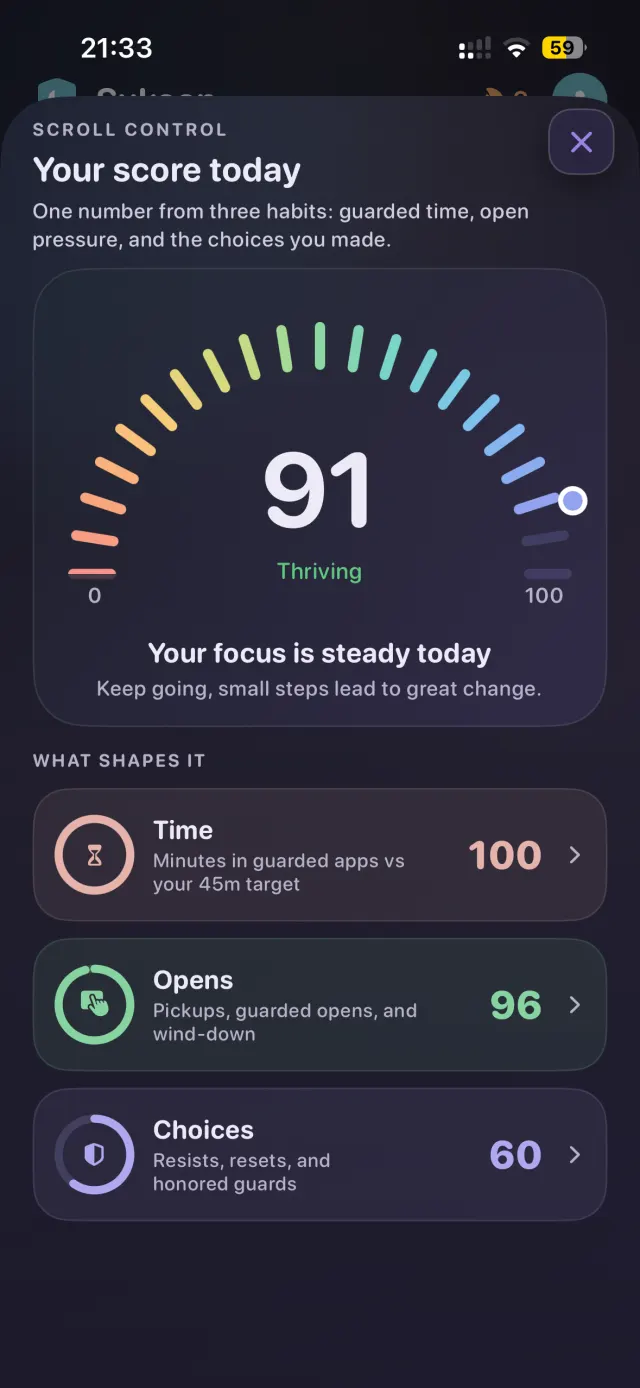
Watch the number climb.
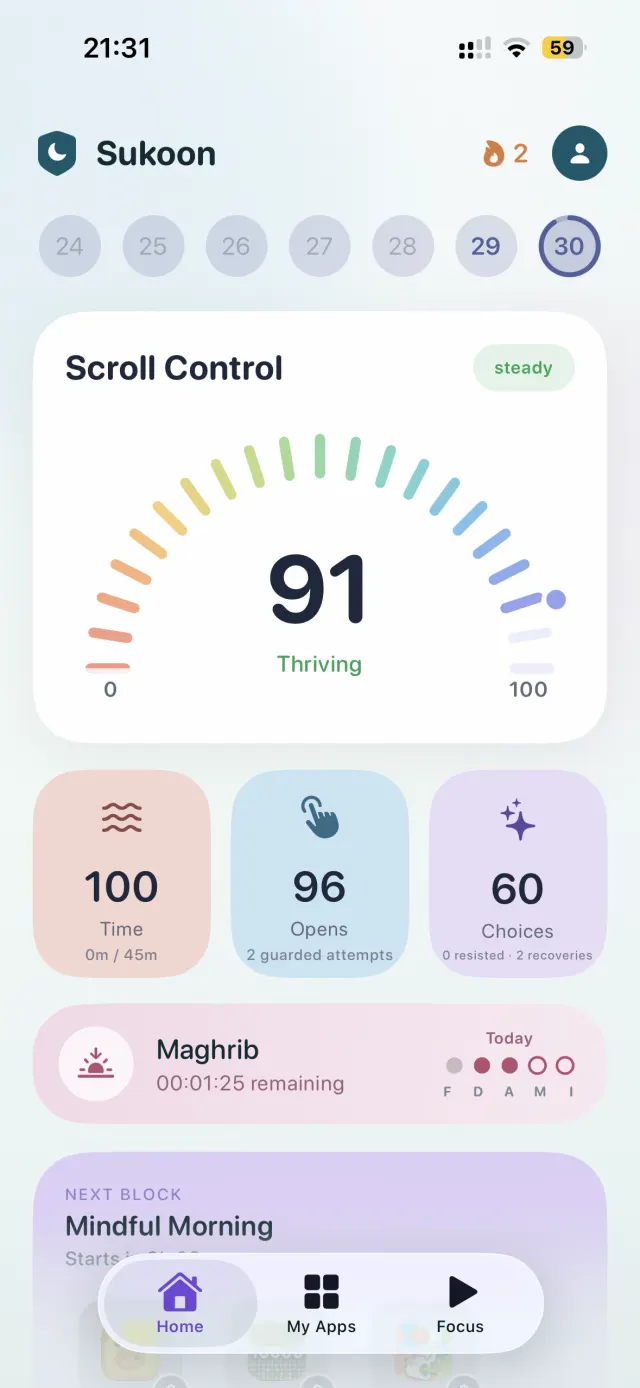
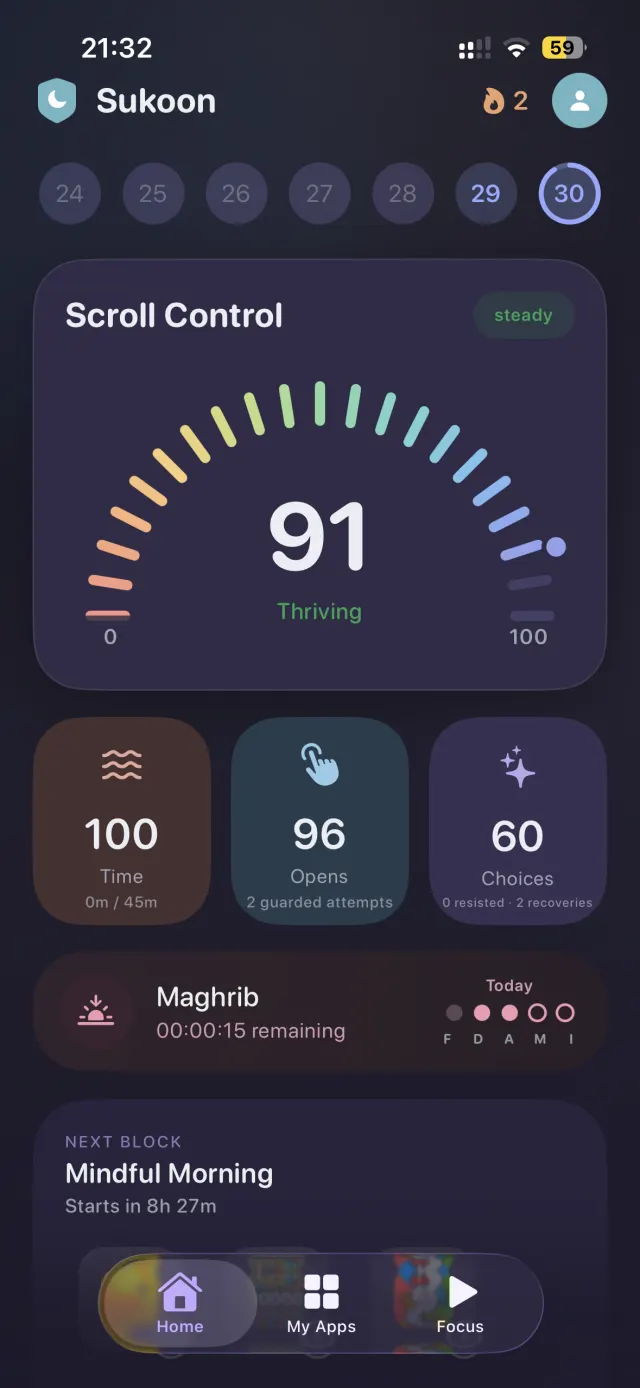
Every guarded open, every resisted urge, every prayer kept on time feeds one score. You stop guessing whether the week went well — you can see it, and it's the kind of number that pulls you forward.
A day with Sukoon
Five moments where the day
usually gets away from you.
-
05:12 · Fajr
The feed is still asleep.
Mindful Morning runs from 6:00 to 9:00 on its own — you set it once. The apps that usually swallow the first hour stay shut long enough to pray, and to eat breakfast like a person.
-
08:40 · The commute
Your thumb goes for TikTok.
The pause opens instead. One slow breath, one short dhikr, and the urge has already passed — you put the phone back in your pocket without deciding to fight anything.
-
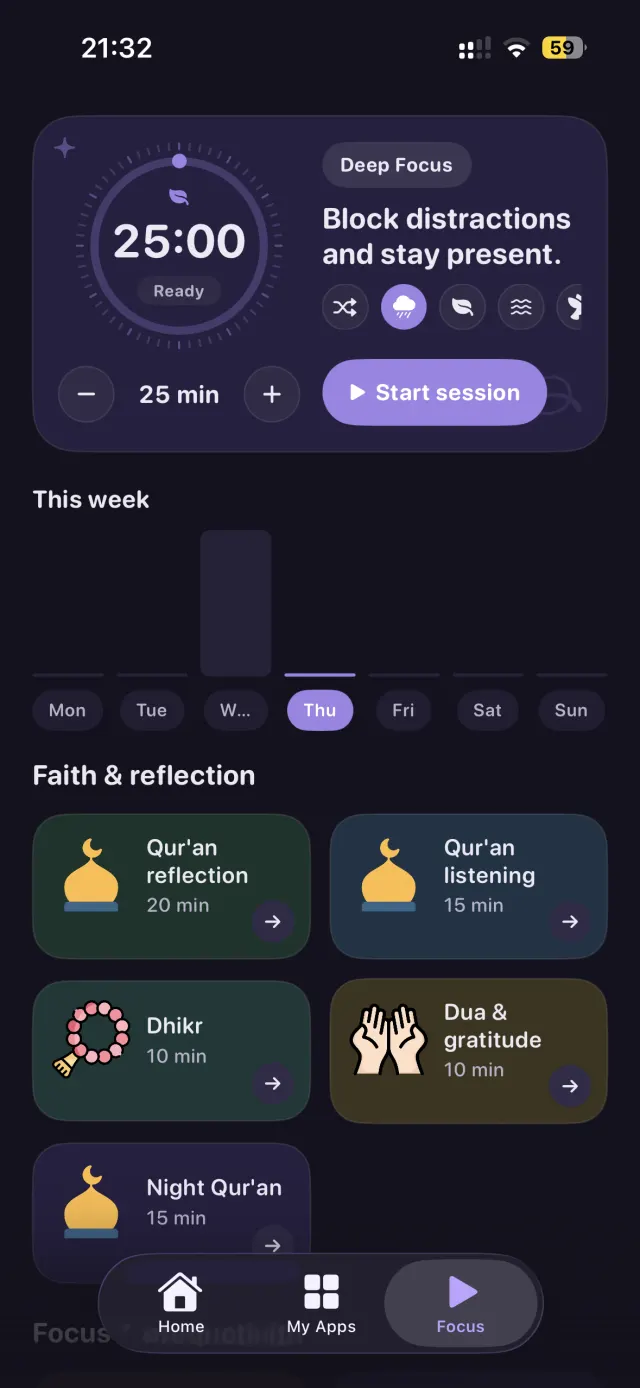
13:20 · Deep work
One tap, then quiet.
Start a focus session and the guarded apps stay shut for the whole block — twenty-five minutes of work, or twenty of Qur'an. The timer does the discipline so you don't have to.
-
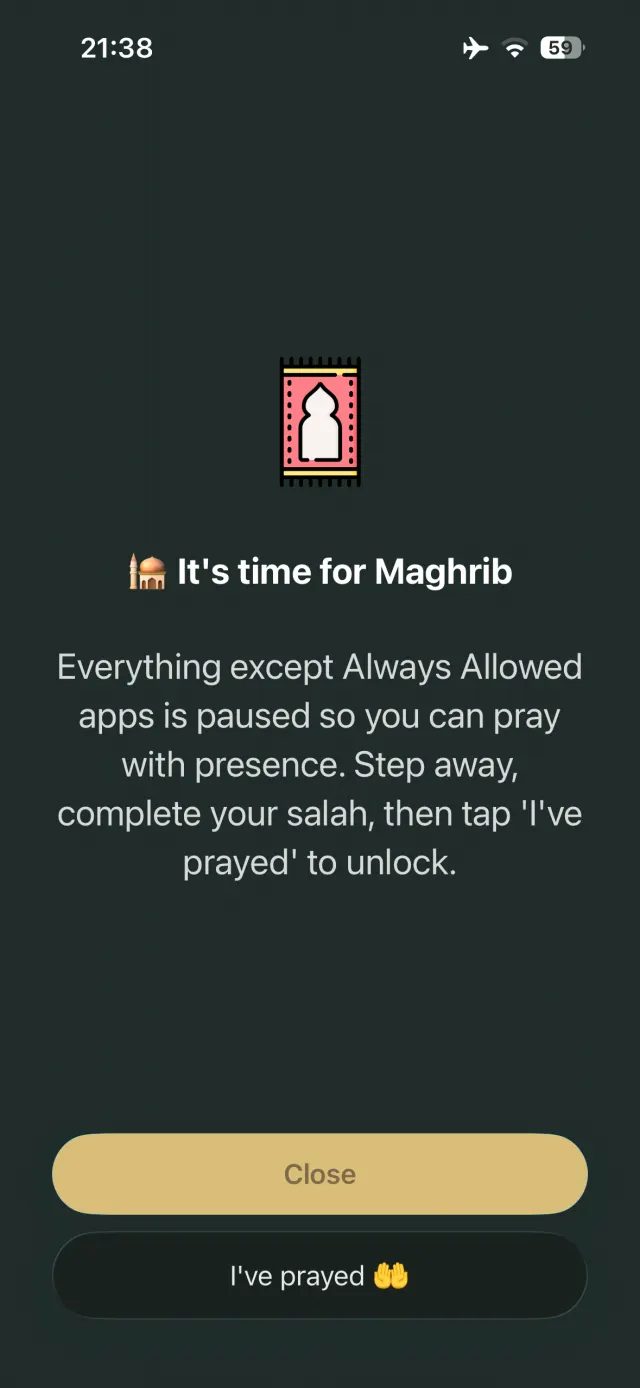
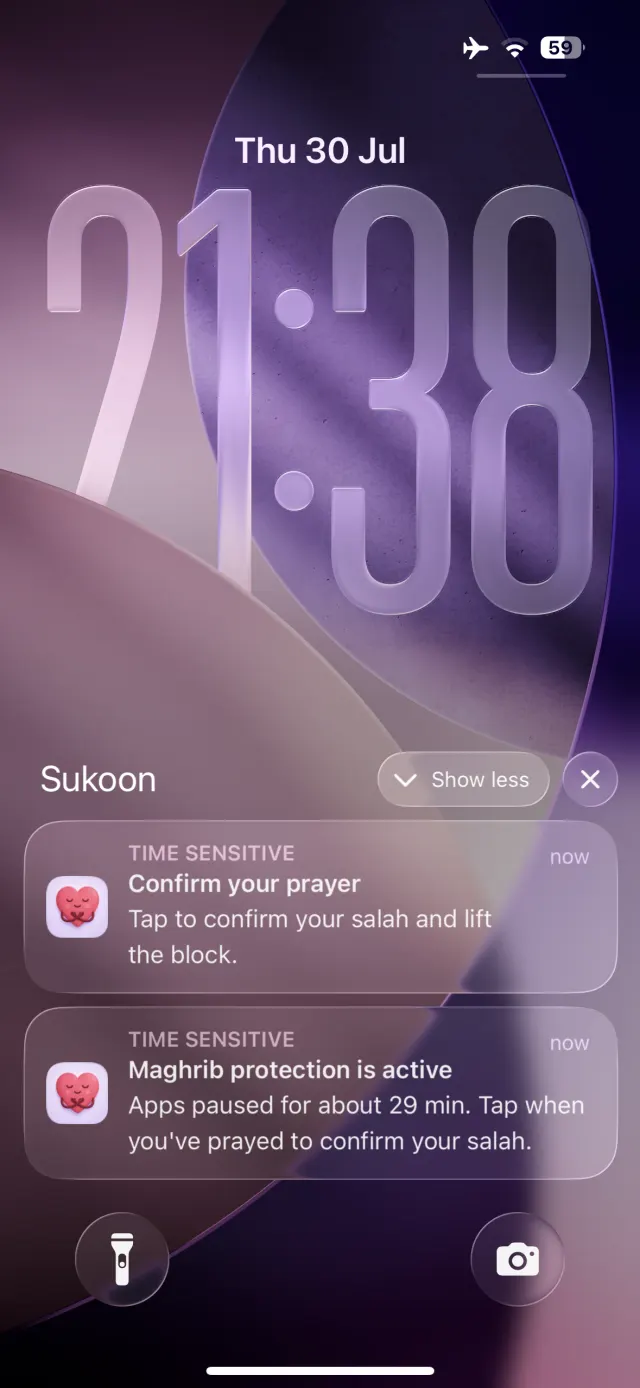
20:31 · Maghrib
Everything stops for the adhan.
Your apps pause and a notification tells you why. Pray, come back, tap I've prayed — and the prayer is logged for the week without you opening a tracker.
-
23:40 · Wind-down
Bedtime starts without you.
The Bedtime schedule takes over, the night face is easy on the eyes, and whatever today's score was, tomorrow's starts clean.
Salah first
When it's time to pray,
your phone gets out of the way.
Sukoon knows your prayer times. At Maghrib everything except your Always Allowed apps goes quiet — not a notification you can swipe away, a wall you have to walk past. Pray, come back, tap I've prayed, and your phone returns.
- Five daily prayers tracked, on time or made up later
- Apps stay paused until you confirm — no auto-unlock to scroll through
- Maps, calls and your family chat keep working the whole time
Qur'an, not the feed
Trade ten minutes of scrolling for ten minutes of Qur'an.
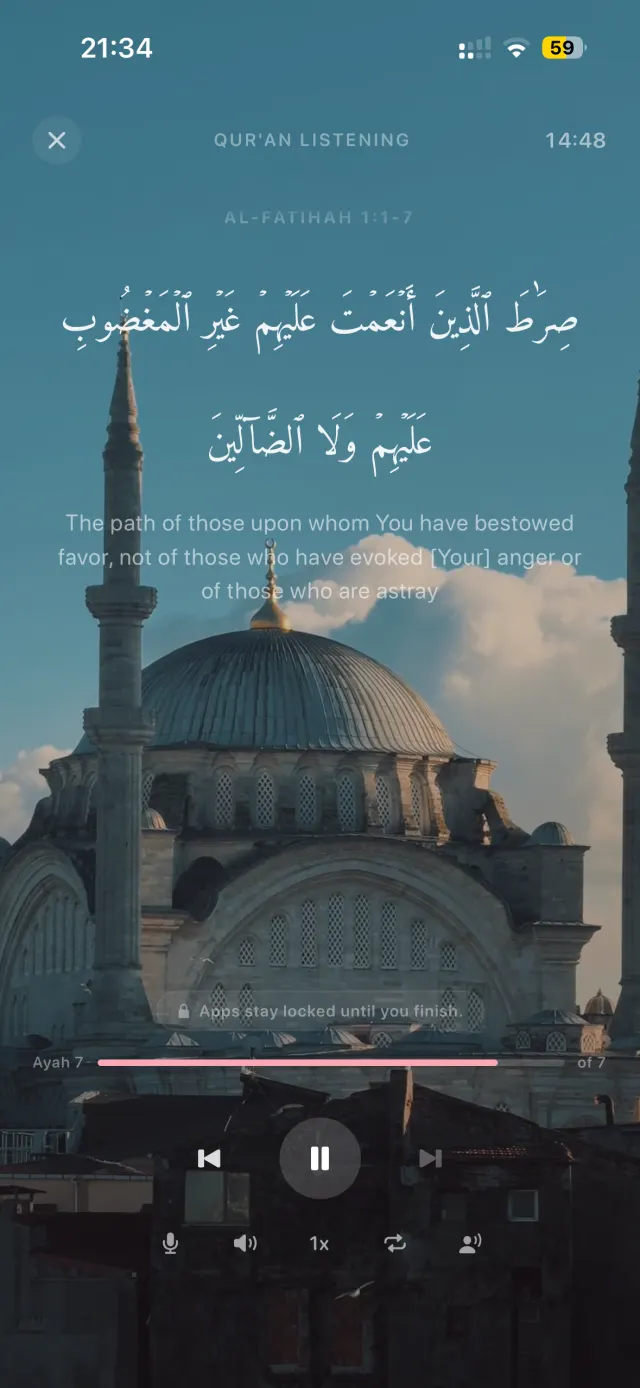
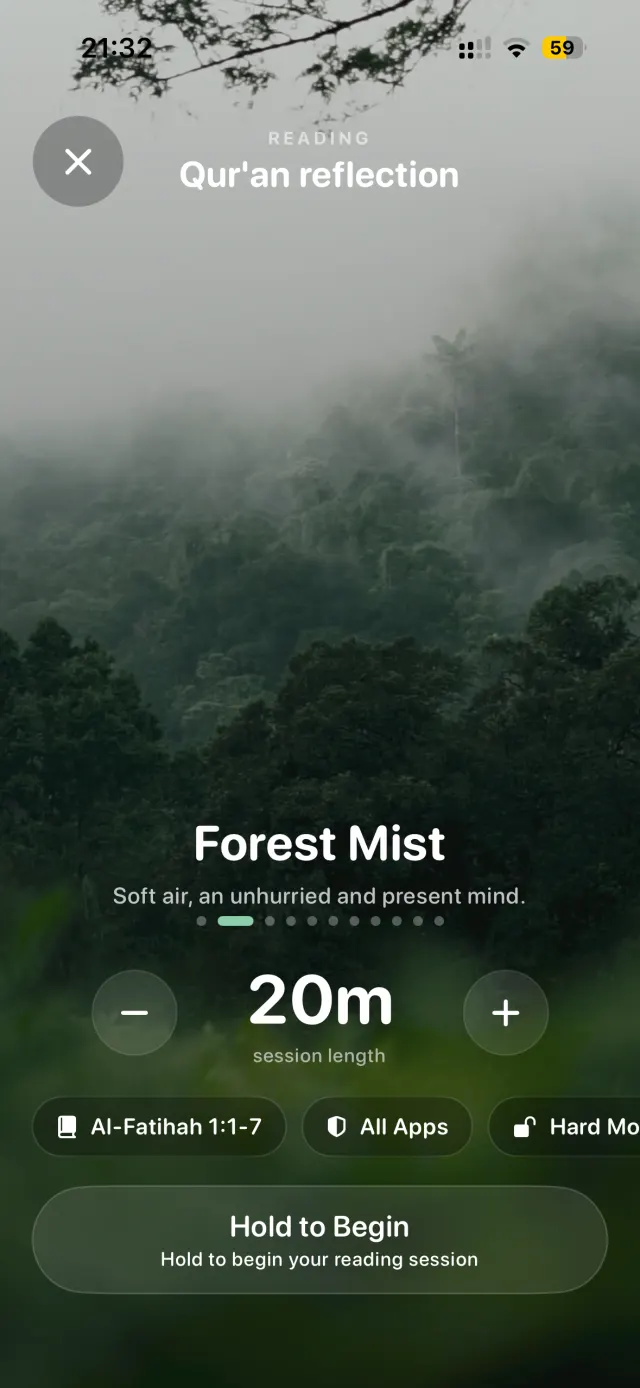
Start a reading or listening session and your apps stay locked until you finish. The ayah sits on a still scene, the recitation carries you, and nothing buzzes through it.
- Read or listen — Arabic with translation, ayah by ayah
- Every ayah moves your khatm forward: one lifetime bar through the whole Qur'an
- Dhikr, dua and night Qur'an sessions when you only have ten minutes
Mindful Score
One number for how the day
is actually going.
Not a wall of charts you'll never open. Three habits, blended into a single score you can read in a second — and three plain numbers underneath when you want the why.
-
Time
Minutes inside guarded apps, against the target you set.
-
Opens
Pickups and guarded opens — the pressure behind the habit.
-
Choices
The times you resisted, reset, or honored a guard you set yourself.
Everything in Sukoon
Built for the whole day.
-
Focus sessions
Deep work, study or worship in one timed block. Distractions stay shut the whole time.
-
Schedules
Bedtime, Work Hours, Mindful Morning. Set the window once and it runs every day.
-
Always Allowed
An allowlist that survives every block — maps, calls, the people who need you.
-
Streaks
Mindful days stack up. Watching a streak grow is a better motivator than shame.
-
Hard mode
Make the pause longer and the unlock harder on the apps you keep losing to.
-
Prayer tracking
Log the five daily prayers as you go, and see the whole week in one row of dots.
-
A night face too.
Sukoon follows your phone. A calm daylight look by day, and a deep night look that won't burn your eyes at 1 AM — when you need the pause most.
Private by design
We can't see your screen time.
That's the point.
Sukoon runs on Apple's Screen Time framework. The apps you guard are handed over as sealed tokens that never leave your device — so there's no dashboard where we watch your habits, and nothing to sell. No ads. No tracking across apps.
Before you download
Fair questions.
Is it really free?
Yes. Sukoon is free on the App Store, with no ads and no subscription. There's an optional tip jar in Settings if you want to support development — it unlocks nothing, and every feature stays free either way.
Why does it ask for Screen Time permission?
Screen Time (Family Controls) is the only way Apple lets an app guard other apps. Granting it is what makes the pause and the prayer-time block possible. Your selections stay on your device.
Can't I just turn it off when I want to scroll?
You can — it's your phone, and Sukoon is friction, not a prison. That friction is the point: the few seconds between reaching and opening is where the decision actually happens. Hard mode makes that gap wider for the apps you keep losing to.
Do I have to be Muslim to use it?
No. The breathing gate, focus sessions, schedules and Mindful Score work for anyone. The salah and Qur'an tools are optional — leave them off and Sukoon is simply a calm screen-time app.
How does it know my prayer times?
It calculates them locally from your location, if you grant location access. Your precise location is never sent to us.
What is a khatm?
A complete reading of the Qur'an, cover to cover. Sukoon keeps one lifetime progress bar across every session you read, so the goal stays in front of you.
Which devices does it work on?
iPhone and iPad on iOS 18.1 or later, Mac with Apple silicon on macOS 15.1, and Apple Vision Pro on visionOS 2.1.
How do I reach a human?
Email contact@softutopia.com and a person answers — usually within a couple of days. The support page lists the quick fixes for the most common issues, and the privacy policy covers data questions.
Your evening is worth more
than the feed.

Free · iPhone, iPad, Mac and Vision Pro